It is 8:10 in the morning. The first appointment of the day has not arrived. Reception checks the phone: a cancellation message was sent overnight, but nobody saw it. The slot remains empty, a person on the waiting list never gets the opportunity and the team begins the day reacting.
The same scene occurs in practices, beauty centers, veterinary clinics, repair shops and service companies. The problem is not only that someone forgets an appointment. The problem is that information arrives late, remains trapped in a conversation and triggers no action in the calendar.
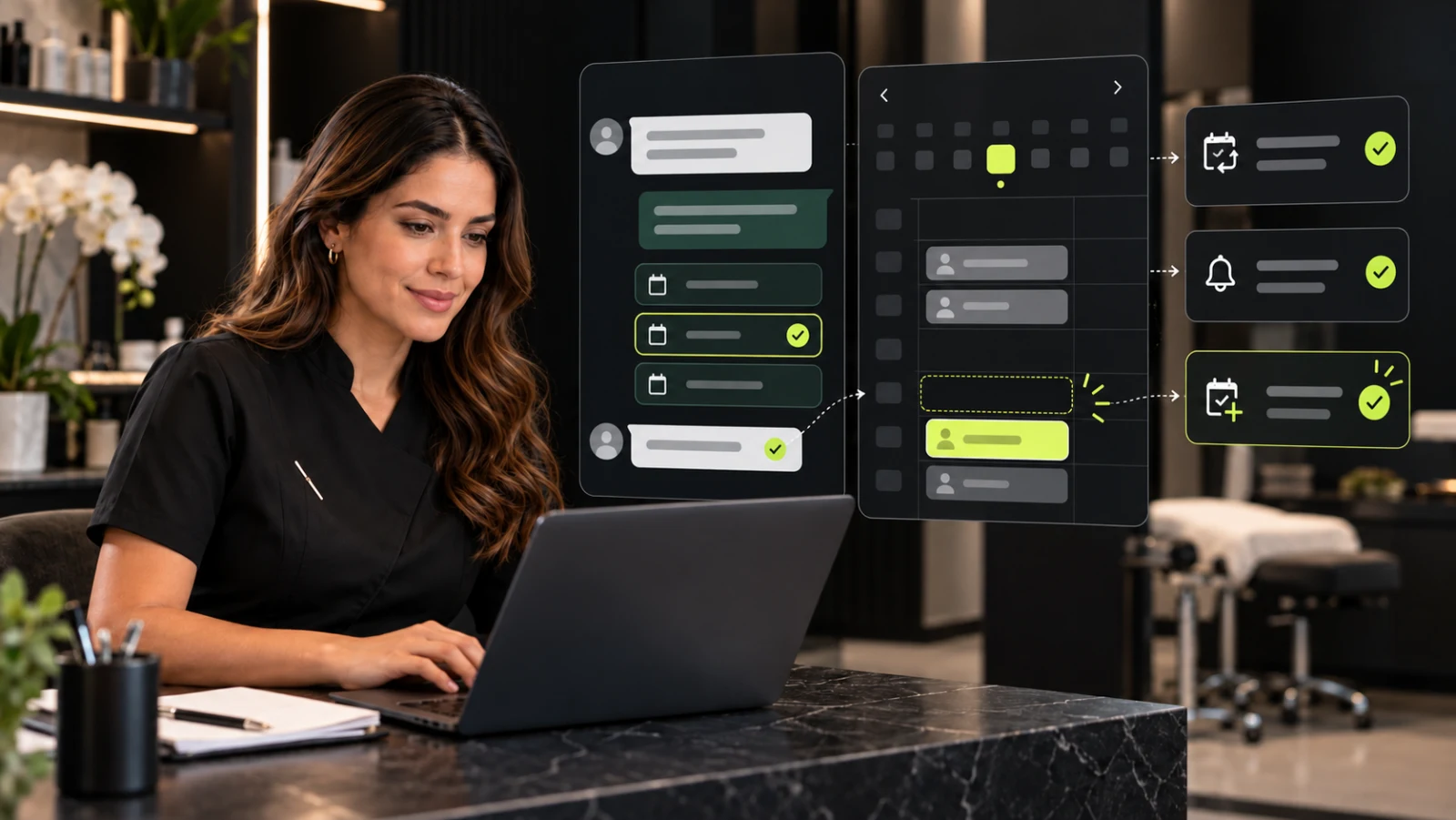
To reduce missed appointments with AI, a business connects that conversation to confirmation, reminders, cancellation and rescheduling. When the agent is connected to the calendar, it can detect a change, release the original time and offer new options without requiring the team to handle every message.
The question behind this guide is simple: what if every cancellation could become a new opportunity in time?
Why are missed appointments an operational problem?
A no-show is more than an empty time slot. It can create idle capacity, lost revenue, poorly used waiting lists and additional administrative work. When a cancellation arrives late—or never arrives—the business loses the opportunity to reassign that time.
Published evidence shows that digital reminders improve attendance. A meta-analysis of controlled trials found that message reminders increased the likelihood of attendance compared with no reminder. A separate systematic review concluded that reminder systems are effective and that, when they make cancellation or rescheduling easier, organizations can offer some released slots again.
The opportunity is not to send more messages. It is to turn each message into an action: confirm, cancel, reschedule or request help.
How an AI scheduling agent works
An Intelligent Scheduling Agent can talk with a customer, check availability and make changes according to rules defined by the business. It does not replace the calendar; it connects the conversation to the calendar and the operating process.
- Receives the request: identifies whether the person wants to book, confirm, cancel or change an appointment.
- Checks availability: reviews real slots and applies duration, location, professional or service-type rules.
- Suggests options: presents specific alternatives instead of starting a long manual exchange.
- Updates the calendar: records the selection and prevents the same slot from being offered twice.
- Sends confirmations and reminders: communicates the date, time, location and any required preparation.
- Recovers the slot: when someone cancels, releases the time and triggers the defined process for offering it again.
- Escalates exceptions: routes sensitive, unclear or out-of-policy requests to a person.
WhatsApp as a confirmation and rescheduling channel
Many businesses already receive questions through WhatsApp such as “Do you have an opening today?”, “Can I move my appointment?” or “What time am I booked?”. Useful automation does more than answer: it connects the customer's intent to the calendar and leaves a clear operational record.
A well-designed flow lets the person respond in the same conversation and choose a simple action. To explore the channel in more detail, read how to use AI to answer WhatsApp messages for a business.
Reminders: when they help and what they should include
An effective reminder reduces friction. It should be brief, recognizable and actionable. At minimum, it should include:
- the service or reason for the booking;
- date, time and location or meeting link;
- a clear confirmation option;
- an option to cancel or reschedule;
- a help channel when the case requires a person.
Timing and frequency should match the service. A medical consultation, a sales demonstration and a technical visit do not need the same sequence. The team should define reasonable rules and measure the outcome.
Booking link vs. conversational agent
Display available slots
Both a booking link and an AI agent can display real availability.
Understand questions
A link is limited to fields and options; an agent can interpret questions within its configured scope.
Confirm and remind
A link depends on the booking tool; an agent can include confirmations and reminders in the workflow.
Reschedule inside the conversation
A link generally opens a separate process. An agent can guide the change within the chat.
Escalate exceptions
An agent can route cases to the team under defined rules.
Record context
An agent can retain only the authorized operational data required by the process.
Both options can coexist. A link works well for customers who want to book independently; an agent helps when someone needs guidance, confirmation or a change.
Use cases by type of business
Clinics and practices
The agent can confirm appointments, remind people about preparation, offer rescheduling and route clinical questions to authorized staff. It should not diagnose or replace professional advice.
Beauty, wellness and personal care
It can organize services with different durations, professionals or locations, and remind customers about previously disclosed cancellation policies.
Technical and field services
It can collect the address, time window and request type before booking, reducing manual exchanges and improving preparation for the visit.
Consultative sales
It can collect basic qualification information, coordinate a meeting and give the sales representative the context needed to continue the conversation.
Three applied scenarios: from isolated messages to a connected process
The following are composite scenarios based on common operational problems. They are not testimonials or results attributed to specific Ainoa customers.
Scenario 1: the practice that discovers a cancellation too late
A patient writes at 11:40 p.m. to cancel the following morning. In a manual process, the message waits until reception opens. By then, reaching someone on the waiting list may be difficult.
In a connected workflow, the agent identifies the cancellation request, verifies the booking, releases the slot and offers alternatives for rescheduling. At the same time, the opening can enter the practice's defined process for offering it again. The important change is not the automated message: it is that the calendar changes when the conversation happens.
Scenario 2: the beauty center that confirms but makes changes difficult
The business sends a reminder, but the customer can only reply by explaining the situation. The team must read the message, check the calendar and suggest times one by one. Some replies arrive outside business hours and remain pending.
With a scheduling agent, the conversation offers clear actions: confirm, cancel or view new times. If the person chooses to reschedule, the agent checks authorized availability and records the new selection. The team keeps control of policies, exceptions and cases that require a person.
Scenario 3: the service company that books without context
A company confirms a technical visit, but the professional arrives and discovers that information about the location or request type is missing. The appointment exists, yet the process is incomplete.
The agent can collect defined operational information before completing the booking, validate the service area and pass the context to the responsible person. Here, the value is not only avoiding a no-show; it is creating an appointment the team can actually serve.
What the three scenarios have in common
In every case, the problem appears in the gap between the conversation and the operation. When WhatsApp, the calendar and business rules work separately, the team must connect them manually. Ainoa connects those pieces so every confirmation, change or exception has a visible next step.
Which metrics should a business track?
To determine whether the system really helps reduce missed appointments with AI, Ainoa recommends establishing a baseline and tracking operational indicators:
- percentage of confirmed appointments;
- no-show rate;
- cancellations received in advance;
- percentage of rescheduled appointments;
- cancelled slots successfully reassigned;
- average team time spent coordinating calendars;
- conversations that result in a valid booking.
There is no universal result. Performance depends on the sector, data quality, workflow rules and how easy it is for the customer to take action.
Mistakes to avoid
- sending reminders without allowing the customer to confirm or make a change;
- offering slots that do not match real availability;
- automating exceptions that should be reviewed by people;
- requesting unnecessary or sensitive information through messaging;
- failing to tell the customer when they are interacting with an automated system;
- measuring messages sent without measuring attendance or recovered slots.
How to start without replacing the entire operation
- Document how appointments are booked, confirmed, cancelled and rescheduled today.
- Choose one appointment type with clear rules.
- Define calendars, owners and exceptions.
- Connect the conversational channel to real availability.
- Test normal scenarios and edge cases.
- Measure a comparable period and adjust the messages.
For a broader view, read how to automate appointments, bookings and meetings with AI. To centralize metrics, permissions and follow-up, a custom administrator with AI can complement the agent.
Frequently asked questions
Can AI cancel and reschedule an appointment?
Yes, when it is connected to the scheduling system and works under defined rules. Cases outside those rules should be escalated to the team.
Does the business need to replace its current calendar?
Not necessarily. Feasibility depends on the integrations available and how the current process is organized.
Do reminders guarantee that everyone will attend?
No. Reminders reduce forgetfulness and make it easier to communicate changes, but they do not remove every cause of non-attendance.
Is this system only useful for clinics?
No. It can support any business that manages capacity through appointments, reservations, meetings or scheduled visits.
How does the system prevent double bookings?
It should read and update a single source of availability, apply temporary holds during selection and verify the slot before saving the booking.
The next empty chair can give notice in time
Return to the 8:00 appointment. The difference is not another generic reminder. It is giving the customer a way to cancel or reschedule in seconds, reflecting the change in the calendar and giving the team a real opportunity to recover the slot.
Reducing missed appointments requires clear messages, real availability, operating rules and an easy way to act. Ainoa designs Intelligent Scheduling Agents that adapt to existing workflows and connect conversations, calendars and follow-up.
Choose one calendar, one appointment type and one specific friction point. Talk to Ainoa and let us design a measurable first workflow to confirm, reschedule and recover open time.